
When evaluating Zapier vs Make pricing, most businesses tend to focus on features rather than the long-term financial impac. That’s a mistake.
The real question is not what Zapier or Make can do, but:
how much they will cost you as your operations scale.
In this guide, we go beyond surface level comparisons and break down the actual financial impact of using Zapier vs Make in 2026. This is a decision focused analysis built for operators, founders, and teams who care about efficiency, margins, and scalability.
Quick Answer:
In most cases, Make is more cost-efficient than Zapier at scale due to its operation-based pricing model, while Zapier remains more suitable for simple, low-volume automation.
If you’re still at the early stage of exploring automation and AI tools, it’s worth understanding the broader ecosystem first. A foundational perspective on tools and their practical use can be found in Best AI Tools for Beginners in 2026 (Free & Paid Guide to Get Started Fast), especially if you’re transitioning from manual workflows into automation.
The Real Problem: Automation Tools Can Quietly Kill Your Margin
Most users underestimate one critical factor:
Automation cost doesn’t grow linearly, it scales with your business complexity.
At low usage, tools like Zapier and Make feel inexpensive. But once you:
- Add more workflows
- Increase task volume
- Integrate multiple systems
Costs can escalate faster than expected.
This is where most comparisons fail. They explain features but ignore:
- Cost per task
- Workflow efficiency
- Scalability economics
This article fixes that.
Interestingly, many users jump straight into tools like Zapier without evaluating simpler or free alternatives first. In reality, for low-volume use cases, some workflows can even be handled using lighter tools discussed in Best Free AI Tools You Should Try Today (2026 Guide) before committing to recurring automation costs.
Understanding the underlying cost structure is where most comparisons fall short and where real financial impact begins to surface.
Zapier vs Make Pricing: What Most Businesses Overlook
Most businesses approach Zapier vs Make pricing with a surface level mindset comparing monthly subscription tiers without fully understanding how costs are actually incurred.
This is where miscalculation begins.
In practice, automation cost is not determined by the plan you subscribe to, but by how your workflows are structured, how often they run, and how efficiently each step is executed. Two businesses on the same pricing tier can experience significantly different cost outcomes often without realizing why.
From an operational standpoint, the key issue lies in cost visibility.
Zapier’s task based model appears straightforward, but in real-world usage, workflows rarely remain simple. A basic three-step automation trigger, action, follow-up quickly becomes five or more steps when conditions, filters, and error handling are introduced. Each additional layer, while operationally necessary, compounds cost in a linear manner.
What is often overlooked is that this structure penalizes growth in complexity, not just volume.
Make, by contrast, introduces a different cost dynamic. While it may initially appear more technical, its scenario-based architecture allows for workflow consolidation and logical branching, reducing redundant operations. In practice, this enables teams to execute more complex processes without a proportional increase in cost.
However, the real distinction is not in pricing models alone it is in how each platform responds to scale.
In several operational setups particularly in agency environments it is not uncommon to see teams unknowingly replicate inefficient Zapier workflows across multiple clients. Individually, each workflow appears manageable. Collectively, they create a cost structure that quietly erodes margin.
This is rarely identified early, because the increase is gradual and fragmented across accounts.
From a financial control perspective, this represents a classic case of distributed inefficiency small, repeated cost leakages that accumulate into a material expense over time.
A more disciplined approach requires shifting the question from:
“Which tool is cheaper?”
to:
“Which cost structure remains efficient as operational complexity increases?”
That distinction is critical.
Because at scale, automation is no longer a convenience layer it becomes part of your cost architecture. And once embedded, it is significantly more difficult to unwind or optimize without operational disruption.
The businesses that manage automation effectively are not necessarily those using the most advanced tools, but those that understand how workflow design directly translates into financial outcomes.
Zapier vs Make: Core Pricing Model Differences
Before diving into real scenarios, we need to understand how each tool charges.
Zapier Pricing Model
(According to Zapier’s official pricing structure, costs increase proportionally with task volume. Sources: zapier.com/pricing)
- Charges per task
- Each step in a workflow = 1 task
- Multi-step Zaps multiply cost quickly
Implication:
- Simple workflows → manageable
- Complex workflows → expensive
Make Pricing Model
(Make’s pricing model, as outlined in its official documentation, emphasizes operational efficiency at scale. Sources: make.com/en/pricing)
- Charges per operation
- More flexible scenario builder
- Visual workflows reduce redundant steps
Implication:
- More efficient at scale
- Better cost control for complex automation
At this point, a structured Zapier vs Make cost comparison becomes essential not at the feature level, but at how each model behaves under real operational load.
Zapier vs Make Pricing for Business: Which One Scales Better?
At a glance, comparing Zapier vs Make pricing for business may appear straightforward review the plans, estimate usage, and select the more affordable option. In reality, scalability is not determined by pricing tiers, but by how each platform behaves as operational complexity increases.
This is where most businesses misjudge the decision.
In early-stage usage, both tools operate within a predictable cost range. Workflows are simple, volumes are manageable, and the financial impact remains contained. The assumption that this structure will hold as operations grow is where inefficiencies begin.
Because scale changes the equation.
As workflows expand, they become more layered—introducing conditions, filters, error handling, and multi-step logic. Under these conditions, the pricing model begins to materially affect cost outcomes.
Zapier’s task-based model scales with each additional step. While clear and easy to deploy, it does not reward efficiency in workflow design. As a result, cost increases are often driven not only by volume, but by structural inefficiency.
Make approaches this differently. Its operation-based model, combined with flexible scenario design, allows workflows to be consolidated and optimized—enabling more complex processes without proportional cost escalation.
In real-world environments, this distinction becomes visible only after scale is reached. Many teams adopt Zapier for speed, then encounter rising costs as workflows multiply. By that stage, optimization is no longer trivial, it requires restructuring.
Scalability, therefore, is not just about handling more volume, but maintaining cost efficiency as complexity increases.
This is precisely why a structured automation cost analysis becomes essential before scale exposes inefficiencies.
In the sections that follow, we will quantify this difference across freelancers, agencies, and SMEs, focusing on how each platform performs under real operational load.
Cost Simulation #1: Freelancer (Low Volume)
Scenario:
- 1–3 workflows
- ~500 tasks/month
- Use cases:
- Lead capture
- Email automation
- Simple CRM sync
At this level, automation is often paired with personal productivity tools. Many freelancers combine automation with tools discussed in Best AI Tools for Productivity 2026 (Tested Free & Paid Tools That Actually Work) to streamline both execution and decision-making.
Zapier Cost Estimate
- Starter plan: ~$19–$29/month
- Tasks consumed quickly if multi-step
Realistic monthly cost:
👉 ~$25–$40
Make Cost Estimate
- Core plan: ~$10–$18/month
- More efficient task usage
Realistic monthly cost:
👉 ~$10–$20
Executive Perspective: Freelancer Automation Strategy
At this level, the difference is marginal.
- Zapier wins on simplicity
- Make wins on cost efficiency
Decision:
- If you value speed → Zapier
- If you are cost-conscious → Make
Cost Simulation #2: Agency (10 Clients)
Scenario:
- 10 clients
- 5–10 workflows per client
- ~10,000–20,000 tasks/month
- Use cases:
- Lead automation
- CRM syncing
- Reporting dashboards
Zapier Cost Breakdown
Let’s assume:
- Average workflow = 3 steps
- 15,000 tasks/month
Zapier pricing tiers escalate quickly.
Estimated cost:
👉 $150–$300/month
Make Cost Breakdown
Same scenario:
- Efficient scenario design
- Fewer redundant operations
Estimated cost:
👉 $50–$120/month
Real Difference
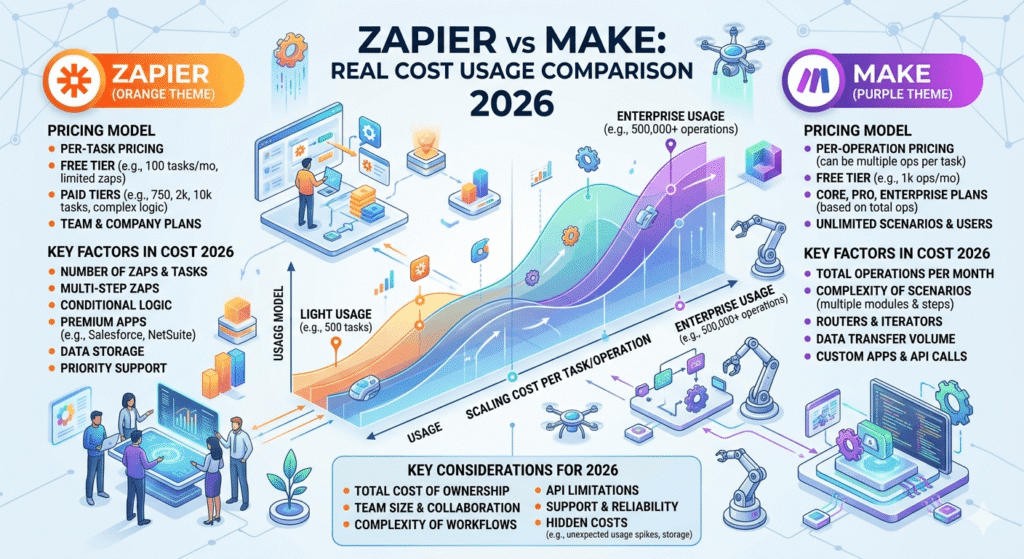
| Factor | Zapier | Make |
|---|---|---|
| Monthly Cost | $150–$300 | $50–$120 |
| Scaling Cost | Linear | Optimized |
| Flexibility | Low | High |
Executive Perspective: Agency Margin Optimization Through Automation
This is where the gap becomes strategic.
Zapier starts to eat into your margin.
For agencies charging:
- $500–$1,000/client
Spending $300/month on automation is acceptable but inefficient.
This is also where many teams begin integrating AI-driven workflows (for content, CRM insights, etc.), similar to those discussed in ChatGPT vs Notion AI: Which Is Better for Productivity in 2026? but without proper automation design, costs can compound quickly across tools.
Decision:
- Zapier → Good for fast onboarding
- Make → Better for long-term profitability
Cost Simulation #3: SME (1000 Tasks/Day)
Scenario:
- ~30,000 tasks/month
- Complex workflows
- Multi-system integration
Zapier Cost Estimate
At this scale:
- You’ll likely need higher-tier plans
Estimated cost:
👉 $400–$800/month (or more)
Make Cost Estimate
With optimized scenarios:
Estimated cost:
👉 $100–$250/month
Real Cost Impact
Annual difference:
- Zapier: ~$6,000–$9,600/year
- Make: ~$1,200–$3,000/year
👉 Savings: up to $6,000/year
Executive Perspective: SME Cost Control and Scalable Automation Design
At this stage, this is no longer a tool decision.
It becomes a financial decision.
If you want a broader strategic comparison (including use case and positioning), you can also review Zapier vs Make: Which Automation Tool Should You Use in 2026? (Real Costs, Use Cases & Strategy) but here we’re focusing specifically on cost mechanics and scalability impact.
Step-by-Step: Real Automation Workflow (Lead Management)
Objective:
Automate lead capture → CRM → email follow-up
Using Zapier
Workflow:
- Trigger: Facebook Lead Ads
- Action: Add to CRM
- Action: Send email
Problem:
- 3 steps = 3 tasks per lead
- 1,000 leads → 3,000 tasks
Using Make
Workflow:
- Trigger: Facebook Lead Ads
- Router: Conditional logic
- Actions:
- CRM entry
- Email sequence
Advantage:
- More efficient execution
- Fewer redundant operations
Result Comparison
| Metric | Zapier | Make |
|---|---|---|
| Tasks per lead | 3 | ~1–2 |
| Monthly cost impact | High | Lower |
| Flexibility | Limited | Advanced |
Hidden Cost Factors Most People Ignore
1. Workflow Inefficiency
Poor design = more tasks = higher cost
2. Lack of Optimization
Most users:
- Don’t optimize workflows
- Pay more than necessary
3. Scaling Penalty
Zapier penalizes complexity
Make rewards optimization
When You Should NOT Use Zapier
Zapier is not always the wrong choice.
But avoid it if:
- You run high-volume automation
- You need advanced logic
- You care about cost efficiency
When Make Is the Better Choice
Make becomes superior when:
- You scale operations
- You manage multiple workflows
- You want cost control
Contrarian Insight (Important)
Most people think:
“Zapier is easier, so it’s better.”
Reality:
Ease of use is expensive at scale.
Ultimately, evaluating Zapier vs Make pricing for business is less about tool preference and more about how each platform aligns with your cost structure as you scale.
Final Recommendation: Which One Should You Choose?
Choose Zapier if:
- You are a beginner
- You need fast setup
- Your volume is low
Choose Make if:
- You run an agency or SME
- You care about margins
- You want scalability
Bottom Line
This is not a feature comparison.
This is a cost strategy decision.
- Zapier = simplicity + higher cost
- Make = complexity + efficiency
As your business grows, the difference becomes significant.
Next Strategic Move: Building a Cost-Efficient Automation System
Before committing to any tool, take a step back:
- Map your workflows
- Estimate your monthly task volume
- Calculate cost per automation
From there, you can build a system that is not just functional but financially sustainable.
Frequently Asked Questions
Is Make cheaper than Zapier?
In most scenarios, Make is more cost-efficient, especially for high-volume workflows, due to its flexible operation-based pricing.
Which is better for small businesses: Zapier or Make?
Zapier is often better for simplicity and quick setup, while Make is more suitable for businesses planning to scale automation.
Why does Zapier become expensive at scale?
Because each workflow step counts as a task, complex automations increase costs significantly over time.
Is Make harder to use than Zapier?
Yes, Make has a steeper learning curve, but it offers more control and cost efficiency for advanced workflows.
Final Thought
Automation is not about tools.
It’s about:
designing systems that scale without destroying your margin.
Ultimately, a clear understanding of Zapier vs Make pricing allows you to build automation systems that scale without compromising financial efficiency. Choose accordingly.