Quick Verdict
What most AI productivity guides get wrong: They give you a list of tools organized by category. You read them, feel briefly informed, and then face the same original question: given my actual role, my actual workflows, and my actual budget, what should I actually use, and in what combination?
The complete AI productivity stack for business is not a list of tools. It is an integrated system that connects thinking, knowledge, automation, and execution into a single workflow.
This guide is grounded in peer-reviewed research, official institutional data, verified pricing, and hands-on evaluation of production workflows not promotional claims, fabricated benchmarks, or tool vendor talking points. Where something is our editorial assessment rather than published data, we say so explicitly.

Why Most AI Productivity Stacks Fail
The problem is not access. In 2026, every knowledge worker has access to ChatGPT, Notion AI, Canva AI, and hundreds of alternatives. McKinsey’s 2025 State of AI survey of 1,993 companies found that 88% of organizations now use AI in at least one business function up from 55% in 2023. AI access is no longer the differentiator.
The differentiator is what happens between the tools.
And the data on outcomes is damning: despite near-universal AI adoption, the same McKinsey survey found that only 5.5% of organizations are seeing real financial returns from their AI investments. Gartner projects that 30%+ of GenAI projects will be abandoned after proof of concept not because the tools failed, but because the architecture around them did.
Here is what a failed AI stack looks like in practice: a founder uses ChatGPT to draft emails, Canva AI to create social graphics, and Notion to store notes but these three systems share no data, require manual handoffs between them, and collectively save perhaps an hour per week. A competitor using the same three tools has connected them through an automation layer, set up context libraries that feed each tool’s inputs, and systemized the outputs. Same tools. Different outcomes. The gap is architecture.
The McKinsey research makes this concrete: companies that have fundamentally redesigned workflows around AI are nearly 3× more likely to achieve high-performer outcomes than those deploying AI tool-by-tool.
This guide is about the architecture.
Why Most AI Productivity Stacks Fail
The problem is not access. In 2026, every knowledge worker has access to ChatGPT, Notion AI, Canva AI, and hundreds of alternatives. McKinsey’s 2025 State of AI survey of 1,993 companies found that 88% of organizations now use AI in at least one business function up from 55% in 2023. AI access is no longer the differentiator.
The differentiator is what happens between the tools.
And the data on outcomes is damning: despite near-universal AI adoption, the same McKinsey survey found that only 5.5% of organizations are seeing real financial returns from their AI investments. Gartner projects that 30%+ of GenAI projects will be abandoned after proof of concept not because the tools failed, but because the architecture around them did.
Here is what a failed AI stack looks like in practice: a founder uses ChatGPT to draft emails, Canva AI to create social graphics, and Notion to store notes but these three systems share no data, require manual handoffs between them, and collectively save perhaps an hour per week. A competitor using the same three tools has connected them through an automation layer, set up context libraries that feed each tool’s inputs, and systemized the outputs. Same tools. Different outcomes. The gap is architecture.
The McKinsey research makes this concrete: companies that have fundamentally redesigned workflows around AI are nearly 3× more likely to achieve high-performer outcomes than those deploying AI tool-by-tool.
This guide is about the architecture.
What the Research Shows and What It Doesn’t
Most AI productivity articles lead with the upside. This one leads with both sides because building a stack on inflated expectations is the fastest path to Gartner’s abandonment statistic.
The Upside Is Real
In one of the most rigorous AI productivity experiments ever conducted 758 BCG consultants, 18 realistic consulting tasks, real client deliverables workers using GPT-4 completed 12.2% more tasks, 25.1% faster, with 40%+ higher quality output. The operative phrase: for tasks within the AI’s capability frontier. For tasks outside it, performance got worse. The research team named this the “Jagged Technological Frontier” a concept that should sit at the center of every AI stack decision you make.
Federal Reserve Bank of St. Louis researchers tracked generative AI usage across a nationally representative U.S. survey and found AI users save an average of 5.4% of work hours. That average obscures the more important finding: 20.5% of daily users save four or more hours per week, while infrequent users save far less. Frequency of use is the variable that determines whether you land in the top quintile or the average.
Anthropic’s analysis of 100,000 real, anonymized Claude conversations found the median task would take 90 minutes without AI assistance. Claude speeds up individual tasks by an average of 80%. Highest gains by category: document writing (87% speedup) and financial analysis (80%).
A large-scale field experiment with 5,000 customer support agents run by researchers at Stanford, MIT, and NBER found AI assistance increased resolution rates by 14–15%, with the largest gains among less-experienced workers. AI raises the floor faster than it raises the ceiling.
The Failure Mode Is Equally Real
Gartner’s April 2026 survey of 782 I&O leaders found only 28% of AI use cases fully meet ROI expectations, and 20% fail outright. The failure mode is consistent: AI layered onto workflows that were already broken, amplifying dysfunction rather than removing it.
The practical implication for this guide: the four-layer framework below is specifically designed to address the Jagged Frontier problem. Layer 2 (knowledge context) ensures AI tools receive inputs within their competency boundary. Layer 3 (automation) makes that context delivery reliable rather than dependent on individual discipline.
The Information Retrieval Tax That Makes Layer 2 Non-Negotiable
McKinsey Global Institute research found employees spend 1.8 hours per day — 9.3 hours per week — just searching for and gathering information. IDC research puts the figure higher: approximately 2.5 hours per day, or 30% of the workday, with 60% of executives reporting that poor information findability directly limits team performance.
For a 10-person knowledge business, this is not a minor friction. It is the single largest recoverable productivity pool available. And it is precisely what a properly architected Layer 2 addresses.
The Four-Layer Framework
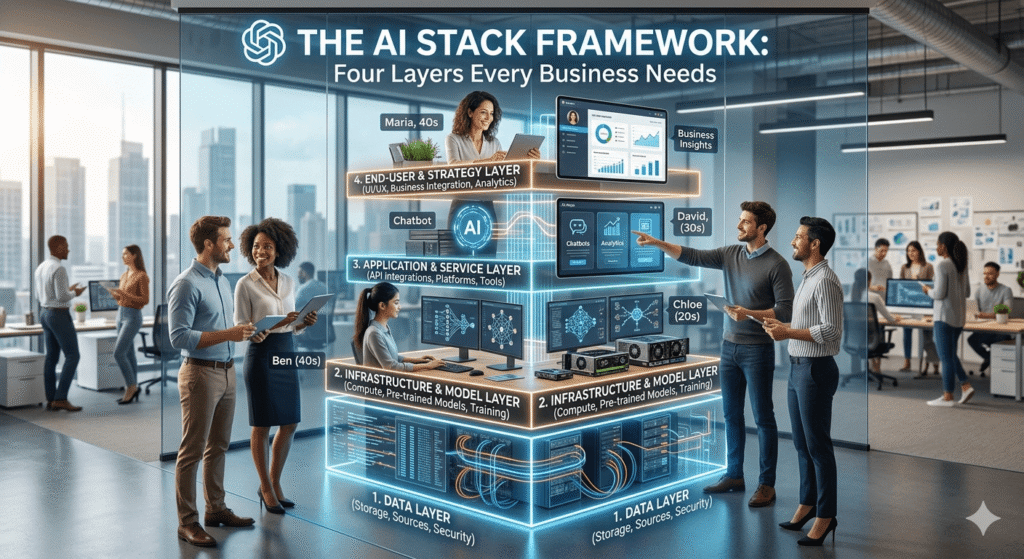
A functional AI productivity stack has four distinct layers. When all four are connected, the system compounds. When any one is missing, the others underperform.
┌─────────────────────────────────────────────────┐
│  LAYER 4: CREATION & OUTPUT                     │
│  Visual assets, formatted deliverables,         │
│  published content                              │
├─────────────────────────────────────────────────┤
│  LAYER 3: AUTOMATION & INTEGRATION              │
│  Connects tools, eliminates manual handoffs,    │
│  triggers workflows between layers              │
├─────────────────────────────────────────────────┤
│  LAYER 2: KNOWLEDGE & ORGANIZATION              │
│  Stores context, structure, and memory          │
│  Feeds inputs into Layer 1 and Layer 4          │
├─────────────────────────────────────────────────┤
│  LAYER 1: THINKING & WRITING                    │
│  Core AI reasoning and language generation      │
│  The engine of the stack                        │
└─────────────────────────────────────────────────┘
Most businesses only build Layer 1. They get value but they get a fraction of what a connected stack produces. Layer 2 gives Layer 1 memory and context. Layer 3 makes the system run without manual handoffs. Layer 4 turns AI-generated thinking into audience-facing output.
The directional principle: a weak Layer 1 tool with a strong Layer 2 outperforms a strong Layer 1 tool running without context. The research from Carnegie Mellon published in the International Journal of AI in Education is unambiguous generative AI quality gains depend directly on the quality of instruction and context the system receives. The tool is only half the equation.
Layer 1 Thinking & Writing Tools
Layer 1 is the reasoning engine of your stack. The tools you interact with conversationally for drafting, analysis, brainstorming, summarization, structured thinking.
The Practitioner’s Honest Assessment
Before the tool comparison: every Layer 1 tool will produce mediocre output if you use it like a search engine type a vague request, read the result, paste it into your document. The quality gap between operators who use these tools well and those who do not is larger than the quality gap between the tools themselves.
That said, tool choice does matter. Here is our assessment based on sustained production use across content, client communication, and analytical workflows labeled as editorial assessment, not published benchmark.
ChatGPT (OpenAI) $20/month (Plus plan)
The honest case for ChatGPT:
Advanced Data Analysis (Code Interpreter) is genuinely the best AI tool available today for non-technical operators who need to work with spreadsheet data. Upload a CSV of sales figures, ask it to identify the top 3 underperforming accounts by margin over the last 6 months, and it writes the Python, runs it, and presents the result in plain English. A task that previously required a spreadsheet specialist or a 45-minute manual pivot table session. This alone justifies the subscription for any operations-heavy business.
The honest case against ChatGPT:
Raw output tone is the biggest UX frustration in production use. Without explicit tone instructions, ChatGPT defaults to a voice that sounds like every other AI-written email. Clients notice. The fix requires a reusable tone block in your prompts which is solvable, but it means every team member must include it consistently or outputs become inconsistent.
Long-form outputs above 2,000 words also drift from the brief in later sections without additional mid-document reinforcement. For shorter deliverables emails, summaries, proposals up to 1,500 words, this is not an issue.
The UX quirk most guides skip: ChatGPT’s context window technically supports long conversations, but output quality noticeably degrades in sessions that have been running for 60+ minutes with many turns. Our operational fix: start a new chat for each distinct task rather than continuing an existing session. Costs you 30 seconds to re-add context; saves you 10 minutes of editing.
Prompt template client email with tone control:
You are writing on behalf of [Agency/Company Name].

TONE: Direct but warm. No filler phrases ("I hope this finds you well").
No corporate jargon. Short sentences. Active voice.

CONTEXT: [Paste 2–3 sentences about client relationship and project status]

TASK: Draft a follow-up email to [client name] about [specific topic].
The email should: [bullet the 2–3 things it must accomplish]
Maximum 150 words.
This prompt takes 90 seconds to write on first use and saves 3–5 minutes of tone correction on every email draft thereafter. Save it as a Notion template and paste it as your starting point for every client communication session.
Best for: Data analysis, structured document production, API-dependent workflows, teams already embedded in the OpenAI ecosystem.
Claude (Anthropic) $20/month (Pro plan)
The honest case for Claude:
First-draft quality on long-form writing is the most defensible advantage Claude has in production use. For blog posts, client proposals, strategy documents, and reports, Claude’s first draft requires meaningfully less editing than ChatGPT’s. This is editorial assessment, not published benchmark, but it reflects consistent experience across writing-heavy workflows.
The 200K+ token context window (1M available on higher tiers) changes what is possible architecturally: you can paste an entire client project history, a full brand guideline document, and the current brief into a single session without degradation. This directly solves the context re-entry problem that kills AI productivity for operators managing multiple clients.
Claude is also more likely to say “I’m not certain about this” rather than presenting a confident-sounding incorrect answer. In a business context where AI-generated errors can reach clients, this epistemic honesty has real operational value.
The honest case against Claude:
The third-party integration ecosystem is meaningfully smaller than ChatGPT’s. Building a Layer 3 automation with Claude requires API work, there are fewer native connectors. This is a genuine friction point that improves with every quarter but is real today.
Claude also has no native image generation. For operators whose workflow runs from text to visual assets, Claude must hand off to a Layer 4 tool. This is not a critical limitation, it is how the four-layer stack is designed to work but it means Claude cannot be a single-tool solution.
The UX quirk most guides skip: Claude’s response length calibration is more conservative than ChatGPT’s. Ask for a 1,000-word section and Claude will sometimes deliver 750 words without flagging it. The fix: specify word count as a minimum, not a target (“at least 950 words”). Small prompt adjustment, eliminates the problem.
Prompt template long-form content with brand context:
BRAND CONTEXT:
Company: [Name]
Audience: [Who they are, what they care about]
Tone: [3–4 adjectives that describe the voice]
Avoid: [List 3–4 phrases or approaches the brand does not use]
Competitor framing to avoid: [If relevant]

CONTENT BRIEF:
Topic: [Specific subject]
Goal: [What should the reader think/do after reading]
Angle: [The specific perspective or argument]
Length: At least [X] words

Write the full article. Use subheadings. Do not use generic AI filler
("In today's world...", "In conclusion..."). Start directly with the
most compelling point.
When this prompt is saved in Notion with brand context pre-filled per client, the time from brief to first draft drops to the actual writing time not writing time plus context re-entry. This is the practical value of Layer 2 feeding Layer 1.
Best for: Writing-intensive workflows, document analysis, client-facing content production, operators managing multiple client voices.
Google AI Pro (formerly Gemini Advanced) $19.99/month
The honest case for Google AI Pro:
If your team runs on Google Workspace Gmail, Docs, Sheets, Drive, Google AI Pro is the only Layer 1 tool that sits inside those applications natively. The AI sidebar in Google Docs that reads your draft and suggests improvements without requiring copy-paste is a genuinely low-friction experience. For teams that have resisted AI adoption because of workflow disruption, this is the gentlest on-ramp available.
The honest case against Google AI Pro:
This is our most critical assessment in the guide: do not use Google AI Pro as your primary drafting tool for client-facing content. In production evaluation, output consistency is the persistent weak point. The same prompt submitted on different days can produce results of noticeably different quality not different style, but different caliber. For internal documents where consistency matters less, this is acceptable. For content that reaches clients, it is an operational risk.
This is editorial assessment. We do not have a peer-reviewed benchmark for output consistency. We are describing a pattern observed in sustained use, not a measured finding.
The UX quirk most guides skip: Gemini in Google Docs has a context limitation that is not clearly communicated: it reads your current document but does not have access to other Drive files unless you explicitly share them in the AI sidebar. Operators who expect Gemini to “know about” related documents in their Drive are frequently surprised when it does not.
Best for: Teams fully embedded in Google Workspace who prioritize low-friction AI adoption over maximum output quality. Internal communications and documents where consistency variance is acceptable.
Layer 1 Recommendation Matrix:
| Role | Primary Tool | Secondary | Decision rationale |
|---|---|---|---|
| Founder / Solo Operator | Claude | ChatGPT | Claude for all writing; ChatGPT for data analysis |
| Content / Agency | Claude | — | First-draft quality justifies single-tool simplicity |
| Operations / Analytics | ChatGPT | Claude | Advanced Data Analysis is genuinely best-in-class |
| Google Workspace teams | Google AI Pro | Claude | AI Pro for embedded use; Claude for high-stakes drafts |
Layer 2 Knowledge & Organization
This is the layer that separates operators who save 2 hours a week from those who save 10.
Without Layer 2, every AI session starts from zero. You re-explain your company’s tone, your client’s preferences, your project’s history, your brand’s constraints. That re-entry overhead quietly consumes 30–40% of the time savings Layer 1 is supposed to deliver.
Layer 2 has two jobs: (1) store your operational knowledge in a structure that AI tools can consume directly, and (2) feed that knowledge into Layer 1 automatically either manually in the short term, or via Layer 3 automation once you have built the infrastructure.
The Optimal Notion Architecture for AI Context
Most Notion workspaces are organized for humans to read. A knowledge base optimized for AI context injection is organized differently, it prioritizes completeness, consistency, and retrievability over aesthetic hierarchy.
The three-level structure that works in production:
Level 1 The Client/Brand Hub (Notion Database) Each client or brand gets one database entry. The database has the following properties:
Brand Voice(text field): 3–4 adjectives. “Direct, evidence-based, slightly irreverent, never corporate.”Target Audience(text field): One sentence. Who they are and what they care about.Avoid Phrases(text field): List of 5–8 phrases the brand would never use.Competitor Context(text field): How this brand is positioned differently from competitors.Active Projects(relation): Links to Level 2 project pages.
The reason for using database properties rather than embedding this in a page body: when you pull context via the Notion API for Layer 3 automation, database properties are structurally accessible. Body text requires parsing. Properties do not.
Level 2 The Project Brief Page Each active project or content brief lives as a linked page. Standard template:
## Project: [Name]
**Status:** [Active / Draft / Complete]
**Audience:** [Specific segment for this piece]
**Goal:** [What should the reader think, feel, or do]
**Key messages (3 max):**
- [Message 1]
- [Message 2]
- [Message 3]
**What to avoid:** [For this specific project]
**Reference links:** [Any URLs relevant to this piece]
**Previous drafts:** [Link to draft history if iterating]
Consistency of structure matters more than completeness. A partially filled consistent template is more useful to AI than a comprehensive but idiosyncratically structured document.
Level 3 The Asset Library Completed deliverables, past proposals, and approved content stored as searchable references. When Notion AI is asked “draft a proposal for [client] similar to the one we did in March,” the Asset Library is what makes that question answerable. Without it, the AI has no memory.
What the Optimal Prompt Looks Like When Layer 2 Feeds Layer 1
Here is the difference between an AI session without Layer 2 context and one with it:
Without Layer 2 (typical operator workflow):
Write a LinkedIn post about our new product launch.Result: Generic, toneless, probably uses “excited to announce.”
With Layer 2 context properly loaded:
BRAND CONTEXT:
[Paste the Level 1 Brand Hub entry for this client — takes 15 seconds]

Voice: Direct, evidence-based, slightly irreverent. Never uses:
"excited to announce," "game-changing," "world-class," "thrilled."
Audience: Mid-market CFOs who are skeptical of vendor marketing.

ASSET REFERENCE:
[Optional: paste the intro paragraph from a previously approved post
that nailed the voice]

TASK:
Write a LinkedIn post announcing the launch of [Product Name].
Core message: [Specific claim you want to make]
Hook first. Lead with the thing that makes skeptics pay attention.
150 words maximum.
Result: A first draft that is closer to publishable because the AI is operating with the same brand constraints your best writer carries in their head.
The Carnegie Mellon research on AI writing quality is explicit on this point: gains depend on the quality of instruction and context the AI receives. The context block above is not optional polish. It is the mechanism by which Layer 2 makes Layer 1 measurably more productive.
Notion Business $20/user/month
Pricing update (May 2025): Notion retired its standalone AI add-on. AI features are now included in the Business plan at $20/user/month. The Free and Plus tiers no longer include AI for new subscribers. Verify current terms at notion.com/pricing.
What genuinely works: When your knowledge base is structured as described above, Notion AI’s Q&A capability becomes a functional internal search engine. “What tone guidelines did we agree on for the Acme account?” returns the correct answer in under 10 seconds because the data is structured to be found.
Database views with AI-generated summaries materially reduce weekly reporting time. Instead of writing status updates, you write structured database entries and let Notion AI generate the summary view.
What does not work as advertised: Notion AI is not a reasoning tool. It is a retrieval and light generation layer. Ask it to “analyze our Q3 content performance and recommend a strategy shift” and it will produce a plausible-sounding but contextually shallow response. For tasks requiring genuine strategic reasoning, export the context from Notion and bring it into Claude or ChatGPT. The right mental model: Notion AI is your retrieval layer; Claude or ChatGPT is your reasoning layer. They serve different functions.
The UX quirk most guides miss: Notion AI quality degrades predictably on pages with mixed formatting — bullet lists interspersed with prose, inconsistent heading levels, embedded tables with irregular column structures. If your team has been using Notion organically for a year, there is likely significant reformatting work before AI performs reliably. Budget 3–5 hours of cleanup per major knowledge area before enabling AI workflows.
Obsidian + AI Plugins (for technical solo operators)
For individuals who want full data control without subscription cost, Obsidian with Smart Connections and local LLM integration provides a compelling alternative. The friction cost: configuring AI plugins requires comfort with local file management and API key setup. For non-technical operators, this friction typically outweighs the cost savings. For developers or technical founders who want a private, portable knowledge base with AI querying, Obsidian is worth serious evaluation.
Airtable (for structured operational data)
Where Notion handles unstructured knowledge, Airtable handles structured data: CRM records, project trackers, content calendars, vendor management. The combination of Notion (narrative knowledge) + Airtable (structured data) + Layer 3 automation connecting both to Layer 1 represents the most productive knowledge architecture we have observed for teams of 4–15 people.
Layer 3 Automation & Integration
Layer 3 is the connective tissue. Without it, every tool in Layers 1, 2, and 4 requires a manual handoff. Each handoff is friction that erodes the time savings the other layers generate.
Platform Selection
Zapier: Best for teams new to automation and low-to-medium workflow volume (under 3,000 tasks/month). Fastest to configure, highest per-task cost at scale. Paid plans from $19.99/month. If implementation speed matters more than cost optimization, start here.
Make: Best for agencies and growing SMEs. Core: $10.59/month (10,000 credits, billed annually); Pro: $18.82/month; Teams: $34.12/month. More powerful, steeper learning curve, meaningfully cheaper at volume.
n8n: Best for technical teams with volume high enough to justify self-hosting. Lowest long-term cost. Highest setup investment.
Technical Deep Dive: Webhook vs. Polling, The Billing Decision That Surprises Every New Make User
This is the single most common mistake made when first building Layer 3, and it has a direct impact on whether your Make plan lasts a month or runs out in a week.
The difference in plain terms:
A polling trigger tells Make to check for new data on a schedule every 5 minutes, every 15 minutes. Make wakes up, checks the source app, burns a credit whether or not new data exists.
A webhook trigger inverts this: the source app pushes data to Make the moment something happens. Make consumes zero credits while idle. One credit per actual event.
The math that produces the surprise:
Polling Gmail for new leads every 5 minutes:
- 12 checks/hour × 24 hours × 30 days = 8,640 credits/month
- From one idle trigger
- On a Core plan with 10,000 total credits
- That is 86% of your monthly plan budget checking for emails that may not arrive
Switch to a webhook trigger for the same workflow:
- 0 credits consumed while idle
- 1 credit per lead received
- 200 leads/month = 200 credits consumed
The difference compounds across a stack with 5–15 active scenarios.
When polling is the only option: Approximately 30% of apps do not natively support webhooks. Workarounds: (1) increase polling interval to 60 minutes, accepting a 60-minute processing delay; (2) migrate the high-volume trigger to n8n self-hosted where there is no per-execution cost.
Verify at make.com/en/pricing: Make transitioned from “operations” to a credit-based billing model in August 2025. Standard actions = 1 credit. Native AI modules = multiple credits. The polling math above assumes standard (1:1) credits verify specific module costs before building high-volume scenarios.
Technical Deep Dive: API Cost Comparison for Layer 3
When your team routes AI calls through Make or n8n via API rather than flat-fee subscriptions model selection becomes a real cost decision.
Claude API (Anthropic) verified May 2026 from anthropic.com/pricing:
| Model | Input / 1M tokens | Output / 1M tokens | Automation use case |
|---|---|---|---|
| Haiku 4.5 | $1.00 | $5.00 | Classification, routing, short summaries |
| Sonnet 4.6 | $3.00 | $15.00 | Most production workflows — balanced |
| Opus 4.7 | $5.00 | $25.00 | Complex reasoning, long documents |
OpenAI API verified May 2026 from openai.com/api/pricing:
| Model | Input / 1M tokens | Output / 1M tokens | Automation use case |
|---|---|---|---|
| GPT-4o mini | $0.15 | $0.60 | Ultra-high-volume, simple extraction |
| GPT-4.1 mini | $0.40 | $1.60 | Moderate-volume, simpler drafting |
| GPT-4.1 | $2.00 | $8.00 | Production workflows |
| GPT-5.4 | $2.50 | $15.00 | Flagship; output priced same as Claude Sonnet |
Practical calculation content agency generating first-draft blog posts:
Request profile: 2,500 tokens input (brand context + brief) + 1,800 tokens output (draft)
- Claude Sonnet 4.6: $0.0345/call → $0.69/month at 20 calls
- GPT-4.1: $0.0194/call → $0.39/month at 20 calls
At 20 calls/month: the $0.30 difference is irrelevant. Choose on output quality.
At 2,000 calls/month: Claude Sonnet ($69) vs GPT-4.1 ($38.80). Now cost matters. Adding Anthropic’s prompt caching on the brand context portion (typically 80% of input tokens, at 90% discount on cached tokens) reduces the Claude Sonnet cost to approximately $20–25/month closing most of the gap.
The operational conclusion: For SMB automation under ~500 calls/month, choose the API on output quality for your specific use case. Above 500 calls/month, run the math with prompt caching factored in before assuming OpenAI is cheaper.
Both providers offer a Batch API at 50% off for asynchronous workloads (results within 24 hours). Any workflow that does not require real-time response overnight report generation, batch CRM enrichment, weekly content production should use the Batch API. No quality difference. Half the cost.
Technical Deep Dive: Rate Limits in API-Driven Automation
Rate limits enforce three independent constraints simultaneously. Exceeding any one triggers a 429 Too Many Requests error, even if you are under the other two:
- RPM (Requests Per Minute): total API calls in a rolling 60-second window
- Input TPM (Tokens Per Minute): total input tokens processed per minute
- Output TPM: total output tokens generated per minute
Both providers advance accounts through tiers as cumulative API spend increases. From Anthropic’s official rate limits documentation: at high standard tiers, Sonnet 4.6 supports up to 4,000 RPM and 10M input tokens/minute at the organization level. OpenAI’s highest standard tiers reach 10,000 RPM.
What this means for the three scenarios you will actually encounter:
Standard Make automation (under 200 workflow runs/day): Rate limits are almost never the constraint. A scenario that runs once per lead, form submission, or daily schedule does not approach RPM limits at any tier. This covers most SMB Layer 3 use cases.
Batch content generation (500+ documents overnight): Use the Batch API. It processes asynchronously, bypasses synchronous RPM limits, and costs 50% less. This is the correct solution, not retry logic.
High-frequency real-time automation (200+ API calls/hour): This requires active management. Configure exponential backoff on 429 errors in Make: catch the error → wait 60 seconds → retry once → alert if retry fails. Without this, a rate limit error silently drops the workflow run.
Check your current limits directly: Anthropic → console.anthropic.com. OpenAI → platform.openai.com/account/limits. Published third-party figures are planning baselines. Your actual limits depend on your specific account tier and spend history.
The Four Automation Patterns That Actually Compound Layer 1
Pattern 1 Context Injection (highest leverage):
A Make scenario triggers when a new client brief arrives in Airtable → retrieves the client’s Notion Brand Hub entry via Notion API → assembles a structured prompt (brand context + brief) → sends to Claude API via HTTP module → routes the draft to a Google Doc.
The human’s job: review the draft. Not write it. Not copy-paste context. Review it.
This is the pattern that operationalizes the Carnegie Mellon finding: when AI receives complete, structured context, output quality improves materially. The scenario makes context delivery automatic rather than dependent on whether the team member remembers to include it.
Pattern 2 Trigger-Based Drafting:
New lead in CRM → Claude API generates a personalized first-contact email using the lead’s company name, industry, and the pain point they indicated in the form → draft surfaces in Gmail for one-click send.
Zero writing time. One click to send. The personalization is real because the lead data is real not a generic template.
Pattern 3 Output Routing:
AI-generated content is automatically distributed to its destination content calendar, CRM note, client Slack channel, email draft without manual copy-paste between systems.
Pattern 4 Cross-Layer Sync:
When a client’s brand guidelines are updated in Notion, a Make scenario pushes a summary of what changed to the team’s project channel and flags any active content briefs that may need revision. The knowledge base stays current without relying on team members to manually notify each other.
Layer 4 Creation & Output Tools
Layer 4 is where AI-assisted thinking becomes audience-facing deliverables.
Canva AI (Magic Studio) $15/month Pro, billed annually (~$18 monthly)
The honest case for Canva AI:
Brand Kit integration is the most underrated feature in the entire Layer 4 category. Set up your brand colors, fonts, and logo once. Every AI-generated asset social graphic, presentation slide, document applies those settings automatically. For an operator producing 30–50 social assets per month across multiple client accounts, this is the feature that actually saves time, not the AI generation itself.
Magic Design generates presentation frameworks from a brief in under two minutes not finished slides, but a structurally sound starting layout that would have taken 20–30 minutes to build from a blank canvas. The distinction matters: you are reviewing and editing, not building.
The honest case against Canva AI:
Text to Image is below Midjourney quality for anything requiring photorealistic or stylistically distinctive visuals. If your brand relies on original imagery as a differentiator, Canva AI will not serve that need. Use it for production assets; use Midjourney or a designer for brand-defining imagery.
Magic Write (text generation) produces output that is unmistakably generic. Our editorial assessment: do not draft text in Canva AI. Draft in Claude or ChatGPT, then paste into Canva. Trying to do both in Canva sacrifices the quality advantage of your Layer 1 tool for the convenience of staying in one interface.
Pricing note: The $15/month figure reflects U.S. pricing on annual billing. Regional pricing varies. Verify at canva.com/pricing.
Descript $24/month (Creator plan)
For video and audio production: edit by editing the auto-generated transcript. Delete a sentence in the transcript; the corresponding audio/video disappears. Filler word removal runs in one click. AI overdub corrects individual mispronounced words without re-recording.
Best use case: Interview-format content, podcasts, client explainer videos, training materials. The time savings are largest for teams that currently spend 3+ hours editing a 30-minute interview recording. With Descript, the same edit takes 45–60 minutes.
The UX quirk: Overdub quality varies significantly by speaker voice. Test it with a sample recording before committing to a production workflow that depends on it.
Gamma $10/month (Plus plan)
Gamma generates complete presentations from a brief structure, content, and visual layout in a single pass. Output quality is not at designer level, but it is meaningfully above a default PowerPoint built from scratch. It is a first-draft tool, not a final-output tool.
Best use case: First-draft client decks, internal briefing documents, investor updates where speed and structure matter more than visual distinctiveness. Expect to spend 20–30 minutes refining after generation, not 90 minutes building.
Role-Specific Stack Configurations
Stack A: Founder / Solo Operator
Profile: Running a business solo or with 1–2 people. Every function client communication, content, operations, business development runs through you. The primary bottleneck is always time.
| Layer | Tool | Monthly cost |
|---|---|---|
| Layer 1 | Claude Pro | $20.00 |
| Layer 2 | Notion Business | $20.00 |
| Layer 3 | Make Core | $10.59 |
| Layer 4 | Canva Pro | $15.00 |
| Total | $65.59/month |
What this stack enables at this price:
- All client-facing writing (emails, proposals, reports) drafted in Claude with brand context loaded from Notion no context re-entry
- All SOPs, client briefs, and project history stored in Notion, queryable in under 10 seconds
- Lead capture, follow-up, and content distribution automated via Make on webhook triggers (avoiding polling credit burn)
- All visual assets and social content produced in Canva without a designer
Evidence-based expectation: Federal Reserve Bank research found daily AI users save 5.4% of work hours on average, with the top quintile saving 4+ hours per week. A four-layer stack with Layer 3 eliminating manual handoffs and Layer 2 eliminating context re-entry is what positions a solo operator to reach the top quintile rather than the average.
Stack B: Agency (4–12 People)
Profile: Managing multiple clients with distinct brand voices and deliverable types. Scaling output quality without scaling headcount is the operational challenge.
| Layer | Tool | Monthly cost (est.) |
|---|---|---|
| Layer 1 | Claude Pro (per user) or Claude Sonnet API via Make | $20/user or ~$0.03–$0.07/call |
| Layer 2 | Notion Business + Airtable | $20/user + Airtable plan |
| Layer 3 | Make Pro or Teams | $18.82–$34.12 |
| Layer 4 | Canva Pro (per user) | $15/user |
| 4-person team total | ~$280–$340/month |
The configuration that actually makes this work:
Each client gets a dedicated Notion Brand Hub entry (using the Level 1 database structure from the Layer 2 section). Make scenarios pull this entry automatically when generating client-facing content via the Claude API. The result: AI generates in each client’s voice without any team member manually loading context for each session.
This is the architectural decision that separates agencies producing AI-assisted content at scale from those still using ChatGPT as a fast typist. It directly implements what the BCG/Harvard research identifies as the primary driver of AI quality: AI receives sufficient, well-structured context to operate within its competency frontier.
The API vs. subscription decision for agencies: Below ~500 AI calls/month across the team, flat Pro subscriptions ($20/user) are more economical than API billing. Above 500–1,000 calls/month, API + prompt caching typically wins. Model your actual volume before making this architectural choice.
Stack C: Operations-Heavy SME
Profile: Significant operational volume order management, team coordination, vendor communication, reporting. The bottleneck is operational overhead, not content production.
| Layer | Tool | Monthly cost |
|---|---|---|
| Layer 1 | ChatGPT Plus (Advanced Data Analysis) | $20.00 |
| Layer 2 | Notion Business + Airtable | $20/user + Airtable |
| Layer 3 | Make Pro | $18.82 |
| Layer 4 | Canva Pro (if needed) | $15.00 |
| Total | ~$73–$90/month |
ChatGPT’s Advanced Data Analysis is the correct Layer 1 choice here, not because it writes better, but because it can process operational data (CSV uploads, order tables, supplier lists) and produce analysis that would otherwise require a spreadsheet specialist. For operations-heavy businesses, this is where the hours are recovered.
Make connects WooCommerce, inventory, CRM, and WhatsApp Business into one automated layer with webhook triggers wherever source apps support them. Airtable serves as the operational database that both the human team and the AI tools query and update.
Illustrative Architecture: What Implementation Actually Looks Like
This is a composite scenario based on common implementation patterns for small content agencies. It represents a typical implementation, not a tracked case study. Results vary based on pre-existing process quality, team capability, and implementation discipline.
The situation: A 6-person content and paid media agency, 10–12 active clients. Services: social media content, blog posts, paid advertising, monthly performance reporting. Currently, every deliverable is produced manually from scratch.
Stack implemented:
- Layer 1: Claude Pro for all long-form drafts (blog posts, proposals, email sequences)
- Layer 2: Notion Business with per-client Brand Hub entries + Airtable for content calendar and project tracking
- Layer 3: Make Pro — lead sources → Airtable → Claude Sonnet API → Google Docs draft queue, all webhook-triggered
- Layer 4: Canva Pro with per-client Brand Kits
Implementation timeline: 6–8 weeks, including a mandatory 2-week documentation phase before any tool is configured. This is the phase where each client’s Brand Hub entry is built brand voice, audience, approved references, avoid phrases. Skipping this phase is the most common setup failure: teams configure the automation before the knowledge base exists, then the automation produces outputs that lack context, and the conclusion is that “AI doesn’t work for our clients.”
The AI works. The knowledge base was not ready.
Monthly stack cost at this scale: $280–$340/month
Research-backed expectations:
Based on the BCG/Harvard finding of 25.1% faster task completion for within-frontier tasks, and the Federal Reserve finding that daily users save 4+ hours/week, a well-implemented stack at this scale should produce: materially faster standardized content production, lower onboarding time for new team members (the knowledge infrastructure carries contextual load that previously required human transmission), and more consistent output quality across team members.
The failure pattern that recurs most often: Teams simultaneously switch all client drafting to AI. Clients notice a change in voice quality within 1–2 delivery cycles. The root cause: incomplete Brand Hub documentation — the AI generates without context because the context has not been documented. The diagnostic question is not “which tool is producing the wrong output?” but “what is the AI reading when it generates for this client?” If the answer is “nothing except the brief,” the problem is Layer 2, not Layer 1.
The Sequenced Rollout: Month-by-Month with Specific Actions
The most common adoption mistake: starting all four layers simultaneously. The result is shallow implementation across all layers instead of functional implementation in any one.
Month 1: Layer 1 Only Build the Habit First
Goal: Daily usage fluency with one tool on one task type. Establish the habit before adding complexity.
Week 1 Pick and constrain:
- Choose one Layer 1 tool (Claude for writing-heavy roles; ChatGPT for data-heavy roles)
- Identify your single highest-volume writing task (client emails, weekly reports, content drafts pick one)
- Use the tool for that task only, every day, for the first week
Week 2 Build your first prompt template:
- Use the prompt templates from the Layer 1 section above as your starting point
- Adapt the template to your specific task type
- Save it somewhere accessible (a note, a browser bookmark, anywhere) not Notion yet
- Run the same prompt structure for 5–7 sessions and observe where the output quality gaps are
Week 3–4 Measure and iterate:
- Track actual time per task before AI and after AI for the same task type for one full week
- Identify the two most common edits you make to AI outputs these point to prompt improvements
- Refine the template. Add specificity where the AI consistently gets the wrong register.
The Federal Reserve research finding that motivates this structure: daily usage is the threshold at which time savings compound into the top-quintile outcomes. Four weeks of daily usage on one task type builds the habit before you add the complexity of additional layers.
Month 2: Layer 2 Build Your Knowledge Base
Goal: Eliminate context re-entry overhead. Every AI session starts with context already loaded.
Week 5–6 Set up Notion Business and document the first client or project:
- Create your Notion workspace. Upgrade to Business plan (required for AI features).
- Build the Level 1 Client/Brand Hub database using the structure from the Layer 2 section
- Fill in the Brand Hub entry for your highest-volume client or your own business
- Fields to complete first: Brand Voice, Target Audience, Avoid Phrases, Competitor Context
Week 7 Integrate Layer 2 into Layer 1 sessions (manually):
- For each AI session this week, open the relevant Notion Brand Hub entry and paste it into your prompt as the context block
- Use the “With Layer 2 context loaded” prompt format from the Layer 2 section
- Compare the first-draft quality against your Month 1 outputs (same task, different context volume)
Week 8 Expand the knowledge base:
- Document 2–3 more clients or project types in the Brand Hub database
- Create Level 2 Project Brief pages for active projects using the template from the Layer 2 section
- Begin the Asset Library: import 5–10 approved past deliverables that represent the standard you want AI to match
The diagnostic question for this month: After loading context from Notion, are your first drafts closer to publishable? If yes, the architecture is working. If not, the most common cause is incomplete Brand Hub entries the AI is still operating with insufficient context.
Month 3: Layer 3 Automate One Handoff
Goal: Prove that automation works for your specific workflow before expanding. One scenario, running reliably, is more valuable than five scenarios that break.
Week 9–10 Identify and build one webhook-based automation:
- Map your current highest-friction manual handoff: where do you most often copy output from one tool and paste it into another?
- Choose Make or Zapier based on your technical comfort level (Zapier if you want speed; Make if you want cost efficiency at volume)
- Build one scenario using a webhook trigger (not polling) if the source app supports it
- Test with 10 real events before treating it as reliable
Week 11 Monitor and validate:
- Run the scenario for a full week in production
- Check the execution log daily identify any failed runs and the cause
- If using Make: confirm webhook triggers are consuming only 1 credit per event (not more)
Week 12 Add the error handler:
- Configure the error handling pattern from the Layer 3 rate limits section
- 429 error → 60-second wait → retry once → alert if retry fails
- This step is not optional without it, rate limit errors drop workflow runs silently
When you have one scenario running reliably with an error handler in place: that is your template for every subsequent automation. Replicate the structure, change the trigger and destination, repeat.
Month 4 and Beyond: Layer 4, Then Systematic Expansion
Week 13–14 Add Layer 4 based on your output type:
- Visual content producers: Canva Pro + set up Brand Kits for each client
- Video/audio content producers: Descript (test with one full edit session before committing)
- Presentation-heavy teams: Gamma (test with one first-draft deck against a real brief)
Month 5+ Systematic expansion:
After Month 4, the pattern is: identify the next highest-friction point in your workflow → decide whether it is a Layer 2 problem (missing context) or a Layer 3 problem (missing automation) → solve it with the appropriate layer.
Do not add new tools. Deepen the architecture you have before expanding it.
Tools Evaluated and Excluded With the Honest Reasoning
Jasper AI: Our assessment is that output quality does not justify the price premium for most business writing workflows. In evaluation across email drafting, blog posts, and proposal writing the three most common operator use cases, Jasper produced outputs comparable to a well-prompted Claude or ChatGPT session, at 3–4× the cost. Jasper’s strongest case is for teams that want a marketing-specific interface layered on top of a foundation model. If that workflow fits your operation, evaluate it directly. For general business writing, the case does not hold. This is editorial assessment, not a published benchmark.
Copy.ai: Strong for short-form marketing copy ad headlines, email subject lines, social captions. Insufficient for the full-document, contextual writing tasks that represent most operators’ actual volume. If your primary need is high-velocity short-form copy iteration, evaluate it. If your primary need is long-form content, it is not the right tool.
Otter.ai: Valuable point solution for meeting-heavy teams (5+ structured meetings per week). Not worth the subscription overhead for teams with fewer meetings, where Zoom’s built-in transcription or Notion’s audio features cover the need adequately.
Midjourney: Image quality is genuinely superior to Canva AI for photorealistic or stylistically distinctive creative work. The Discord-based interface creates integration friction that makes it impractical in a connected Layer 4 workflow. Our assessment: evaluate Midjourney if your brand’s visual identity depends on original, distinctive imagery. Use Canva AI if your primary need is production-volume social and marketing assets where consistency and brand alignment matter more than image artistry. This is editorial assessment.
All-in-one AI platforms: We evaluated several that promise to replace individual Layer 1, 2, and 4 tools with a single platform. None delivered. Each had one strong capability surrounded by weaker implementations of adjacent features which is exactly what the BCG/Harvard Jagged Frontier research would predict. AI systems have uneven competency distributions. A platform that tries to be best-in-class across every capability simultaneously cannot be. Purpose-built stacks of best-in-class tools consistently outperformed every all-in-one platform we evaluated. This is editorial assessment.
Total Cost of Ownership
Subscription cost: $65/month (solo) to $340/month (4-person agency). Publicly verifiable as of May 2026.
Setup and learning investment: The 2025 Microsoft Work Trend Index, drawn from 31,000 workers across 31 countries, found that AI power users have integrated AI into their daily rhythms a state that takes weeks to months, not days.
Realistic setup estimates:
- Solo operator: 15–25 hours one-time
- 4-person agency: 35–50 hours across the team, one-time
- SME with complex operations: 50–70 hours one-time
Ongoing maintenance: 2–4 hours per month knowledge base updates, prompt refinement, automation monitoring, adapting to platform changes (Make’s August 2025 billing model change is an example of a platform update that required workflow review).
12-month TCO at $50/hr equivalent labor cost:
| Stack type | Monthly subs | Setup hrs | Maint hrs/yr | 12-month TCO |
|---|---|---|---|---|
| Solo Operator | ~$65 | 20 | 30 | ~$3,280 |
| 4-Person Agency | ~$310 avg | 42 | 36 | ~$7,620 |
| SME Operations | ~$80 | 55 | 36 | ~$5,710 |
The ROI math: Federal Reserve Bank research establishes 20.5% of daily users save 4+ hours/week. At $50/hr equivalent, four hours/week = $10,400/year per person. Against a solo stack TCO of $3,280/year, the ROI case is clear at any reasonable implementation quality. The Gartner warning still applies: 30%+ of AI projects fail because organizations layer AI onto broken workflows. The sequenced rollout above is specifically designed to surface broken workflows before the full stack is deployed around them.
FAQ
Do I need all four layers before seeing meaningful gains? No. Layer 1 alone delivers measurable gains. Federal Reserve Bank research documents real average time savings even from basic usage. The four-layer stack compounds those gains substantially but starting with Layer 1 and building toward the others is exactly the right sequence.
When should I switch from flat Claude Pro to the Claude API for Layer 3? Above approximately 500–1,000 AI calls/month. Below that, flat $20/month Pro is almost always more economical. Above that, model your specific volume against the per-call costs in the Layer 3 section, with prompt caching factored in.
How do I prevent rate limit errors in my Make + API automations? For standard SMB volumes (under 200 workflow runs/day), rate limits are rarely the issue. For batch generation at scale, use the Batch API 50% cheaper, bypasses synchronous RPM constraints. For all API-integrated scenarios, configure the error handler described in the Layer 3 section.
How do I maintain consistent brand voice across team members? Centralize brand documentation in the Notion Brand Hub structure from Layer 2. Standardize the context block every team member loads at session start. Advanced: use Make to inject context via API automatically, removing the discipline variable entirely.
How often should I re-evaluate the tools in my stack? Quarterly. Both Make’s August 2025 billing transition and Notion’s May 2025 AI pricing change happened with limited advance notice. The four-layer framework is durable. The specific tools require active monitoring.
What does “building for the Jagged Frontier” mean in practice? Use AI for writing, synthesis, summarization, ideation, and structured analysis tasks inside the capability boundary where the BCG/Harvard research confirms real gains. Apply human judgment to tasks requiring live information, specialized expertise, or final strategic decisions tasks outside that boundary where AI assistance has been shown to decrease performance. Layer 2 and Layer 3 are specifically designed to keep AI interactions inside the frontier by ensuring the AI always has the context it needs to operate in its zone of competence.
Conclusion: The Stack Is Not the Destination
The four-layer framework in this guide is a starting architecture not a finished product. It gets your tools working as a system rather than as isolated point solutions. That is the transition that separates the 5.5% of organizations seeing real financial returns from the 94.5% who are not.
McKinsey’s research is unambiguous on what separates those groups: the organizations seeing returns have fundamentally redesigned workflows around AI. The organizations that have not redesigned are running AI tools inside processes that were already constraining growth.
The 2025 Microsoft Work Trend Index documents the emerging divergence clearly calling the companies that have done this redesign work “Frontier Firms.” They scale faster and operate with agility that traditionally structured competitors cannot match.
Start with one tool. Use it daily. Measure the actual time savings. Add the next layer when the previous one is working. Build from the foundation up.
The compounding effect of a well-architected AI stack is real. The research from Harvard, the Federal Reserve, Anthropic, and Stanford establishes this. But the compounding is earned through sequential, disciplined implementation not through adopting everything at once.
All pricing reflects publicly available information as of May 2026. Verify current rates at each vendor’s official pricing page before making subscription or API budget decisions.
Key Research Sources:
- Dell’Acqua, F. et al. (2023). Navigating the Jagged Technological Frontier. HBS Working Paper No. 24-013.
- Bick, A., Blandin, A. & Deming, D. (2025). The Impact of Generative AI on Work Productivity. Federal Reserve Bank of St. Louis.
- Tamkin, A. & McCrory, P. (2025). Estimating AI Productivity Gains from Claude Conversations. Anthropic.
- Brynjolfsson, E., Li, D. & Raymond, L. (2023). Generative AI at Work. Stanford/MIT/NBER.
- McKinsey & Company (2025). The State of AI 2025.
- Microsoft (2025). 2025 Work Trend Index.
- Gartner (2024). 30% of GenAI Projects Will Be Abandoned.
- Gartner (2026). AI Projects in I&O Stall Ahead of ROI.
- Usdan, J. et al. (2025). Generative AI’s Impact on Professional Writing. Int’l Journal of AI in Education. Carnegie Mellon University.
Official Pricing & API References:
- Anthropic API pricing: anthropic.com/pricing
- Anthropic rate limits: platform.claude.com/docs/en/api/rate-limits
- OpenAI API pricing: openai.com/api/pricing
- Make.com pricing: make.com/en/pricing
- Notion pricing: notion.com/pricing
- Canva pricing: canva.com/pricing
Further reading on this stack: